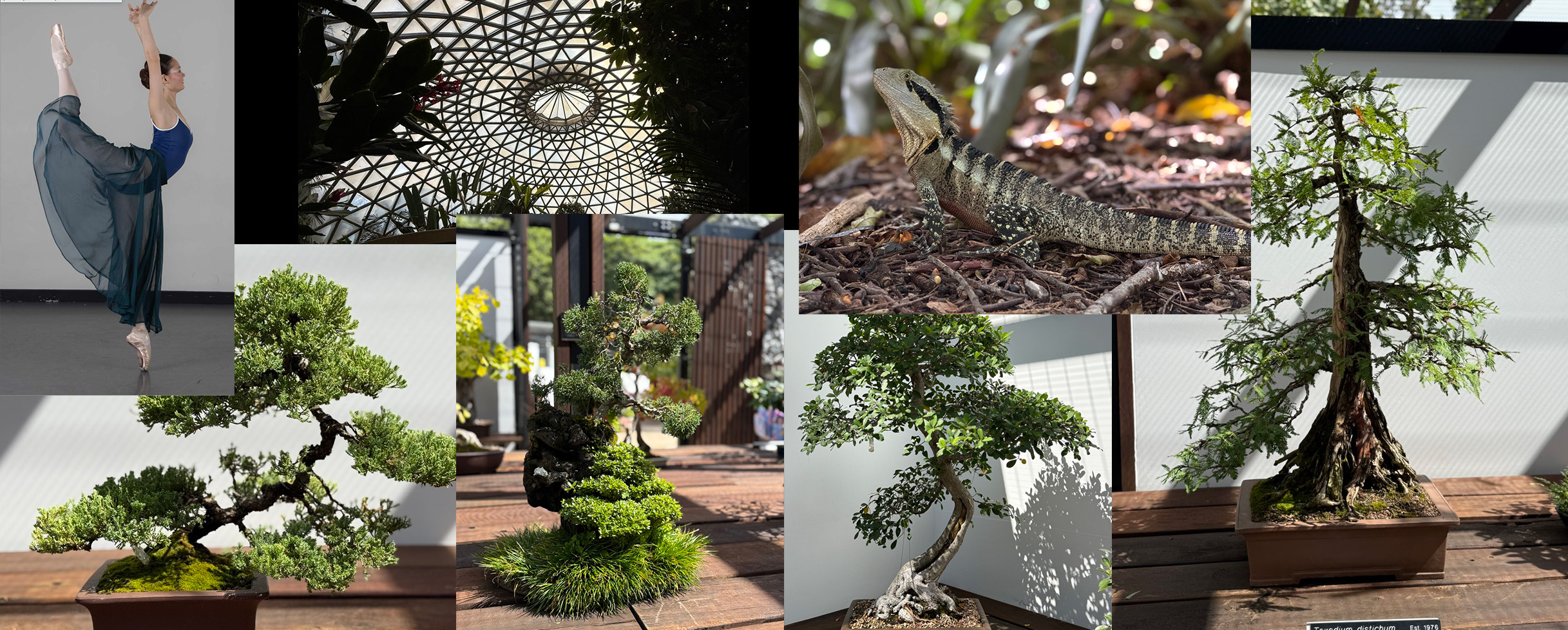
Over the past few months I’ve been leaning harder into a style that feels like home — cinematic miniature worlds built from real photos, shaped with Photoshop, and enhanced with AI as a creative tool rather than a replacement for craft. Two recent pieces really sum up where this direction is heading: a widescreen dancer composite and a dark, magical lizard–bonsai scene.
Both started the same way: with real images I shot myself, including a few straight off the iPhone. The goal wasn’t to fake reality — it was to expand it.
1. The Dancer in the Dome — A Widescreen Miniature World
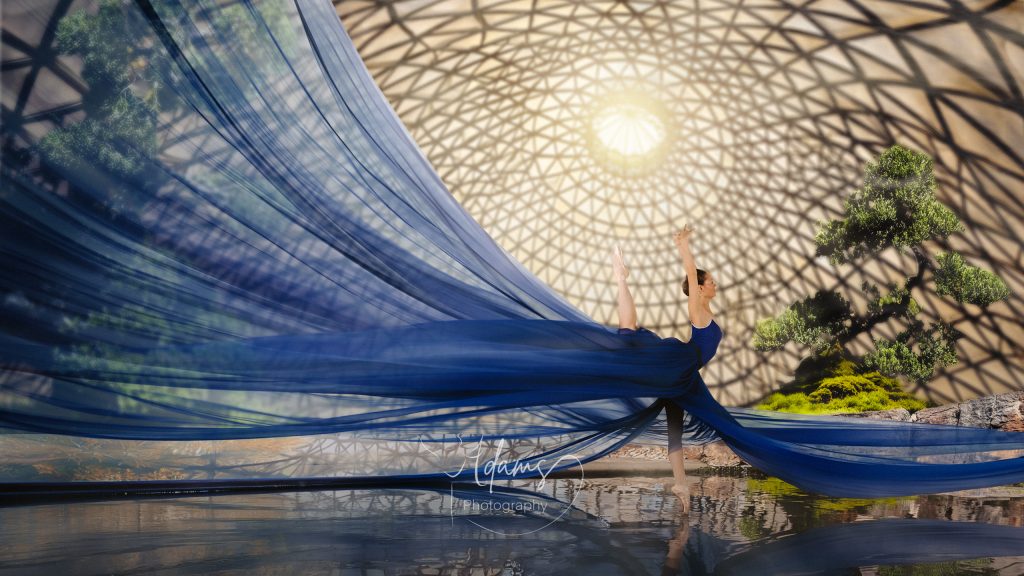
This piece began with a studio portrait of a dancer, lit cleanly and intentionally so her form stayed untouched. From there, the challenge was to build a world around her that felt miniature, atmospheric and cinematic, without losing the authenticity of the original shot.
The Process
- Base photo: Canon studio shot, dancer lit with directional soft light
- Environment: A geodesic dome structure blended in Photoshop
- Nature elements: A bonsai tree I photographed separately
- Atmosphere: Mist, reflections and skirt extensions created with a mix of Photoshop and AI‑assisted texture generation
- iPhone integration: Some of the moss and ground textures came from quick iPhone snaps — proof that the best assets are often the ones in your pocket
The skirt became the hero — extended far beyond the original frame, flowing across the scene and dissolving into mist. AI helped generate fabric variations and atmospheric transitions, but the dancer herself remained 100% real. No warping, no reshaping, no AI body edits. Just the world around her expanding.
The final result is a 6×3 widescreen frame that feels like a tiny universe: bonsai on one side, dancer on the other, connected by motion, light and atmosphere.
2. The Lizard & Bonsai — A Dark, Magical Micro‑Realm
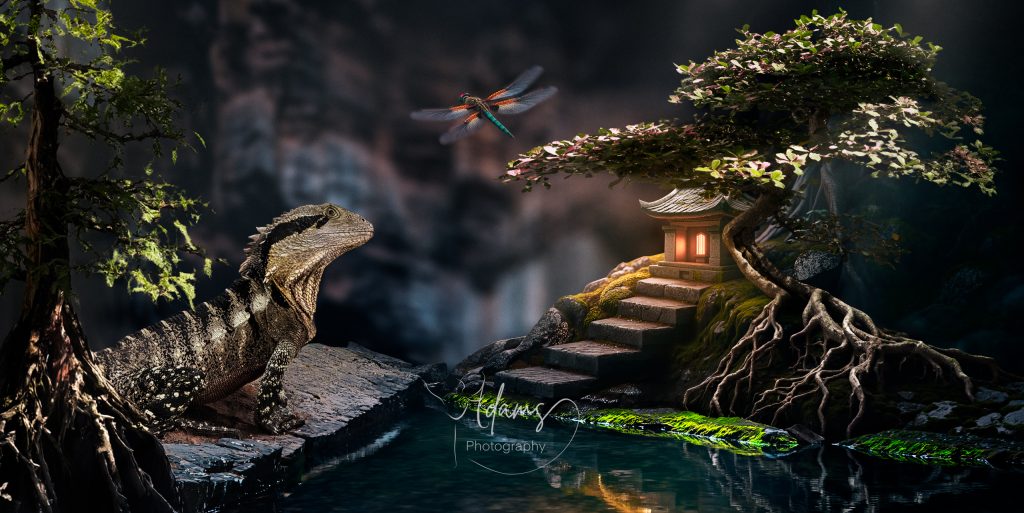
The second piece came from a handful of iPhone photos: a lizard sunning itself on a rock and a few bonsai trees I’d shot on the fly. Nothing staged. Nothing fancy. But the shapes were too good to ignore.
The Process
- Base assets: iPhone photos of the lizard + bonsai
- Mood: Dark, moody, magical — almost folklore
- Compositing: Built in Photoshop with layered depth, shadow sculpting and environmental haze
- AI usage:
- Generating subtle background textures
- Enhancing mist and micro‑particles
- Extending foliage and rock formations without losing realism
This one leans into scale play — making the world feel tiny but epic at the same time. The lizard becomes a guardian, the bonsai becomes a forest, and the lighting pulls everything into a cohesive, moody atmosphere.
Why I Use AI — And Why I Don’t Let It Touch the Subject
AI is a tool in my workflow, not the artist.
I use it to:
- Extend environments
- Generate atmospheric textures
- Create variations of elements I already shot
- Fill in gaps that would take hours to paint manually
I don’t use it to:
- Replace the subject
- Alter bodies, faces or poses
- Fake photography I didn’t shoot
The magic happens when real photography meets AI‑assisted world‑building — not when one replaces the other.
The Philosophy Behind This Style
Every composite I make starts with something real: a dancer, a lizard, a bonsai, a texture, a shadow.
AI helps me build the world around them, but the soul of the image comes from the original photo. The imperfections, the lighting, the physicality — that’s what keeps the work grounded.
This hybrid approach lets me create:
- Cinematic widescreen frames
- Miniature worlds
- Sculptural lighting
- Atmospheric transitions
- Real‑but‑impossible environments
And it all starts with a camera — sometimes a full-frame body, sometimes just the iPhone in my pocket.
Comments are closed